An internal audit of a department takes a few hours. Then come the days: copying findings out of a notebook, sorting photos from your phone and working out which clause of the standard each one belongs to. If you have ever led an internal audit, you know that the time does not go into the review but into the report.
In this article we show how an audit runs in the Audits module of the E-KAKOVOST platform: from the plan to a report that is done when you leave the last department.
Why the internal audit exists at all
ISO 9001, ISO 14001 and ISO 45001 require an organisation to check for itself, at planned intervals, whether its system works as documented (clause 9.2). The certification auditor comes once a year; the internal audit is your look in between.
A good internal audit answers three questions:
- Are we doing what we wrote down? Instructions, procedures and records against the actual work in the department.
- Does what we do meet the requirements of the standard? Clause by clause, with evidence.
- Where is the risk hiding? Findings that are not yet non-conformities but will be if we overlook them.
The problem is not the questions. The problem is that the answers end up in a notebook, the photos on a phone, the report in Word and the actions in Excel. The Audits module puts all of this in one place.
How an audit runs in the Audits module
1. The audit plan: standards, team, areas, dates
You plan the audit in the application. You choose the type (internal, supplier, certification), the standards you are auditing and the company’s activity profile. You assign auditors, auditees and dates by department. The plan doubles as an invitation: everyone involved sees when their turn comes.
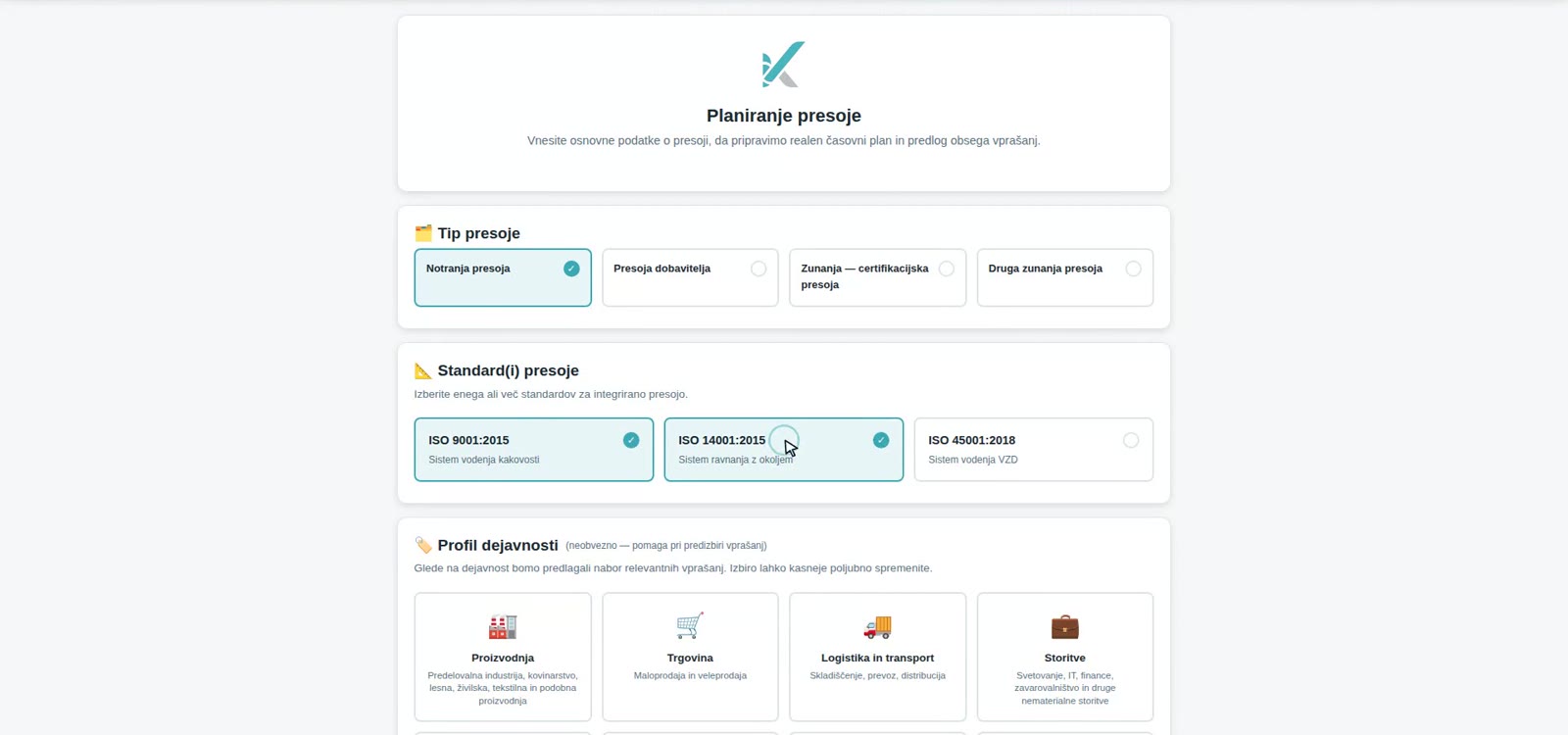 The audit plan: the standards and the activity profile determine which questions the questionnaire will contain.
2. A questionnaire with more than 900 questions
The questionnaire is compiled from the plan. The base set has more than 900 questions by clause of the standards, filtered by the selected standards and your organisation’s profile. Every question states which evidence is expected (a register of gauges, a calibration plan, work instructions), so the auditor knows what to ask for.
The answer is simple: conforming, conforming with a recommendation, non-conforming or not applicable. If you are auditing an integrated system, questions common to several standards are merged so you do not ask them twice.
3. Findings on the spot, with a photo as evidence
You record a finding immediately, on site, next to the question it relates to. You attach a photo or a short video. The finding is thereby already filed under the clause of the standard and the process you were auditing; there is nothing to tidy up later.
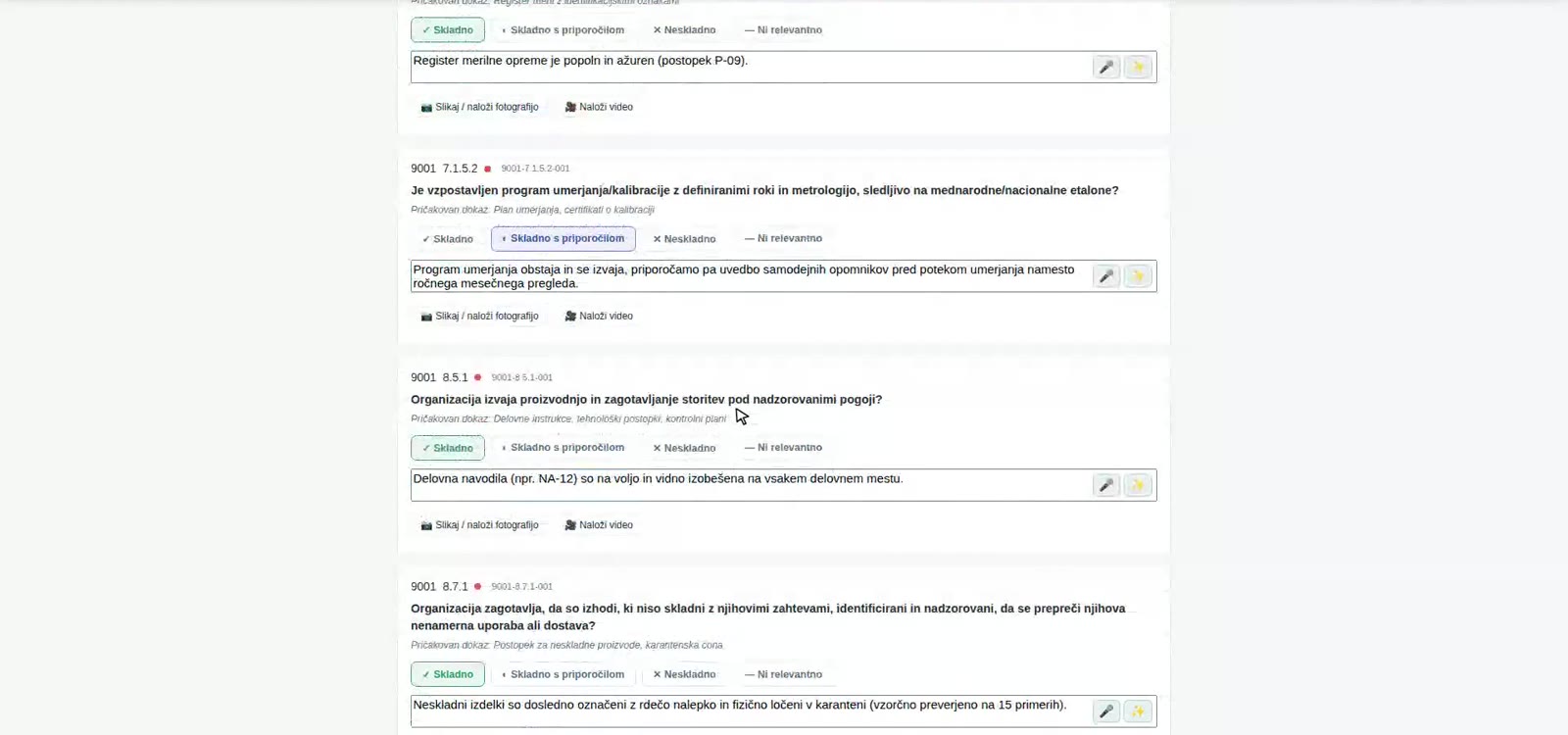 Findings: every answer has its place, a button for dictation and one for rewording in the language of the standard.
If you would rather talk than type, you dictate the finding. The AI assistant writes it down, rewords it in the language of the standard on request and suggests where it belongs. The proposal sits next to your original and goes into the report only once you confirm it. It invents nothing; the auditor decides.
4. The report in one click
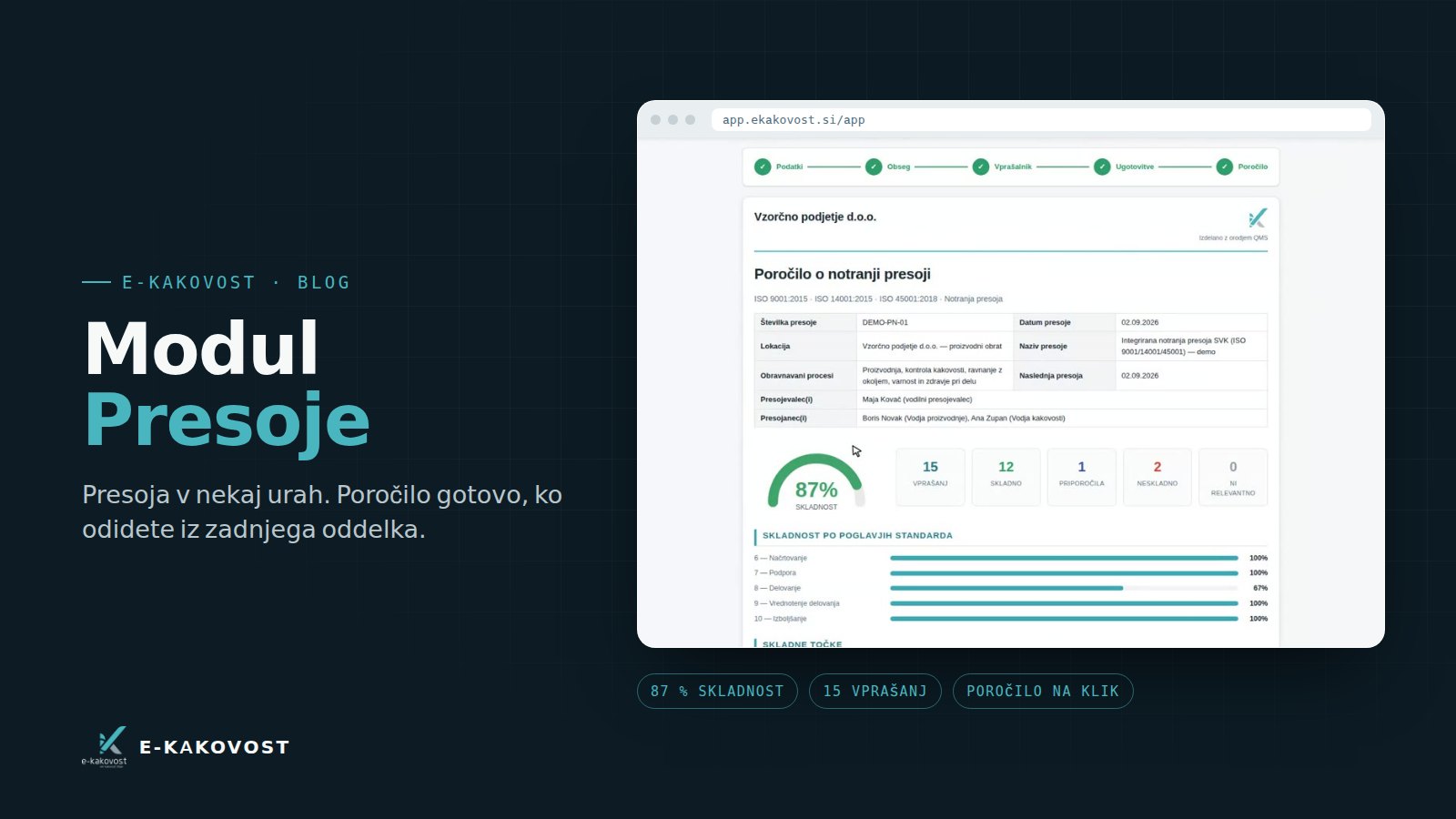
When you answer the last question, the report is done. It contains the audit details, the auditors and auditees, the conformity percentage, the number of questions by rating, conformity by chapter of the standard and a list of conforming clauses, recommendations and non-conformities with evidence. You export it to PDF with a signature block.
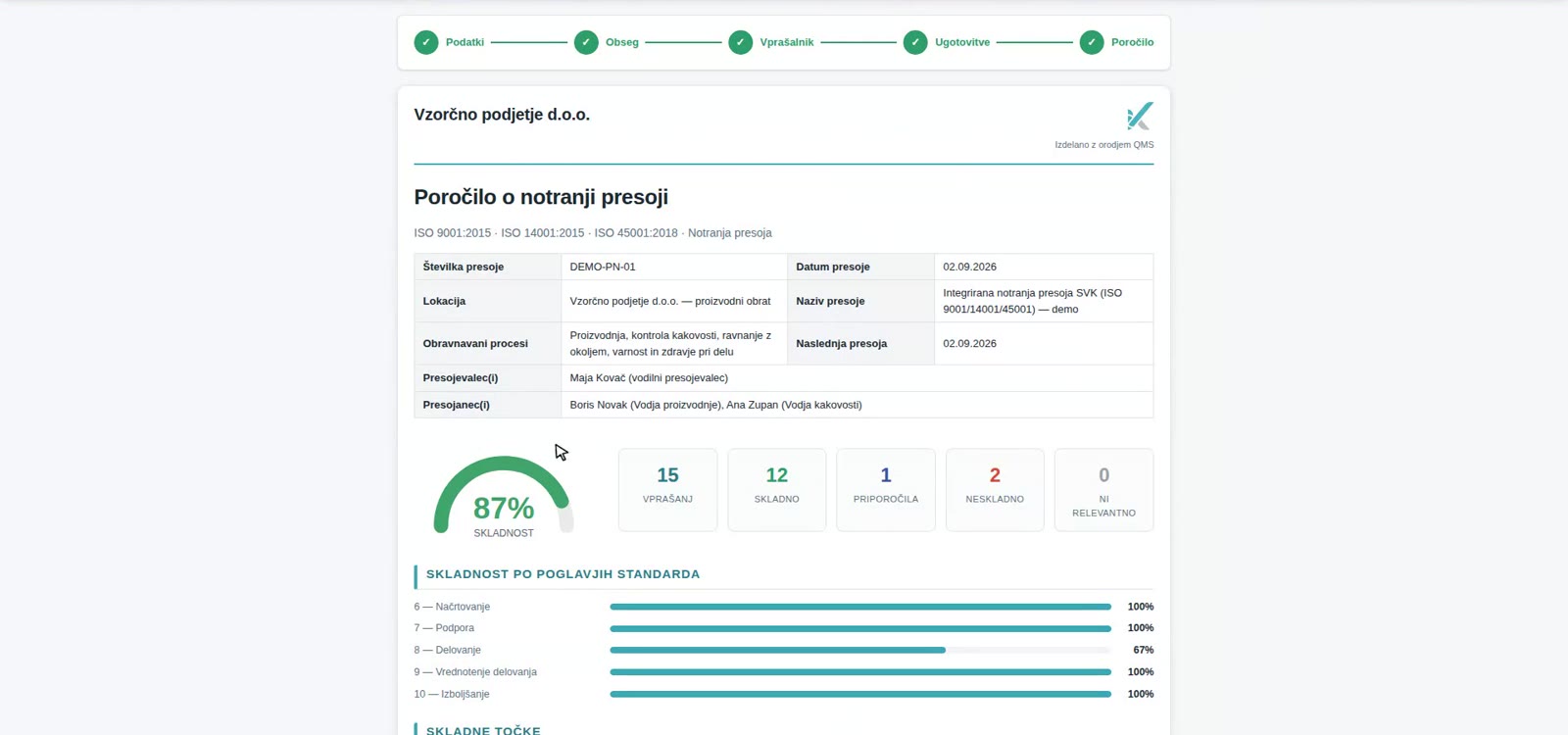 The report is produced from the questionnaire. Nothing is copied, nothing gets lost between the notebook and Word.
5. From finding to corrective action
Every non-conformity has a “Request action” button. The action opens in the Actions (CA/PA) module with the same number, source and text of the finding, the owner receives a reminder before the deadline, and the audit stays linked to the action until the effect is verified. The loop closes without re-entering anything.
What the quality manager gains
| Without a system | The Audits module | |
|---|---|---|
| Audit plan | Excel and e-mail | In the application, everyone sees the dates |
| Questionnaire | Home-made, several years old | 900+ questions, filtered by standard |
| Findings | Notebook, photos on the phone | On the spot, with a photo, under the clause of the standard |
| Report | Days of typing | Done at the last answer |
| Actions | Copied manually into a spreadsheet | One click from the finding, with a trail |
| Next audit | You start from scratch | You see what was non-conforming last year |
For the certification auditor this means you do not search folders: you show the report, the findings with evidence and the actions that follow from them.
Who uses the module
- The quality manager, who plans and leads audits and wants a report without copying.
- Internal auditors from other departments, who need guidance through the questionnaire and a clear instruction on which evidence to ask for.
- An external auditor or consultant, whom you invite into the system with a limited role and who enters findings directly into the questionnaire.
- Management, which receives the audit results in the management review automatically, without gathering.
Book a free presentation of the platform. In 30 minutes we show you how your next internal audit would run in E-KAKOVOST: from the plan to the report, on an example from your industry. Choose a time →
If you do not have the standard yet, an internal audit is also a good first step: it shows where you stand before you decide on implementation. Slovenian companies can obtain a subsidy of up to 60 % for implementing ISO standards.
Frequently asked questions
What is an internal audit under ISO 9001?
An internal audit is a systematic check of whether the quality management system works as documented and whether it meets the requirements of ISO 9001 (clause 9.2). It is carried out by trained colleagues or an external auditor at planned intervals, and the result is a set of findings, a report and corrective actions.
How often does an internal audit have to be carried out?
The standard requires a planned audit programme but does not prescribe an exact interval. In practice most companies audit all processes at least once a year, before the certification or surveillance audit, and processes with more non-conformities more often.
Can I audit several standards at once in the Audits module?
Yes. When planning the audit you tick the standards (ISO 9001, ISO 14001, ISO 45001) and the questionnaire is compiled as an integrated audit. Questions common to several standards are merged, and the report shows conformity by chapter of each standard.
What about audits carried out by an external auditor?
You can invite an external auditor into the system with the auditor role. They only see the audits assigned to them, enter findings directly into the questionnaire, and the report is produced in the same format as for an internal audit.
Can we adapt the questionnaire to our company?
Yes. The base set has more than 900 questions by clause of the standards; when planning, it is filtered by the standards and the organisation's profile (activity, processes). You can add questions, remove them or mark them as not applicable with a justification.
Transparency: artificial-intelligence tools were used in preparing this article. The content was reviewed and approved by the author.