
The auditor points at a pallet in the corner of the warehouse: “This product is nonconforming. Who decided what happens to it, and where is that decision written down?” The answer is often verbal: the production manager said it goes to rework, the inspector knew about it, and the nonconforming product report stayed in a folder nobody opened again. Who decided, when, and whether the repaired product was ever re-checked is not visible anywhere.
In this post we show how the Nonconforming Outputs module of the E-kakovost QMS platform controls nonconforming products and services: from recording the fact, through a disposition with an approver and re-verification, to a corrective action in one click, a decision trail and a register for the audit.
What the standard asks of your nonconforming outputs
ISO 9001 clause 8.7 requires you to identify and segregate a product or service that does not meet requirements, so that it does not reach the customer uncontrolled. You must then decide what happens to it: repair it, rework it, scrap it, release it under concession or return it to the supplier. A repaired or reworked product must be re-verified. And you must retain a record of all of this: a description of the nonconformity, the actions taken, the concessions obtained and the authority that decided (clause 8.7.2).
The standard separates two things that companies like to mix up. Clause 8.7 is about the product: what is wrong and what you did with it. Clause 10.2 is about the cause: why it happened and how to prevent it happening again. A corrective action is not mandatory for every nonconformity, but a documented evaluation of whether one is needed is (clause 10.2.1). That is exactly what the auditor looks for: for every nonconforming output, a record of the fact, a decision with a name, and proof that you thought about the cause. The Nonconforming Outputs module keeps all three in one record, while the action stays in the Actions module, where it belongs.
How a nonconforming output lives in the Nonconforming Outputs module
1. Recording the fact: what, how much and where it was found
Every nonconforming output gets an automatic number (e.g. NI-2026-004) and a record of the fact: what is nonconforming, where it was found (incoming inspection, production, final inspection, at the customer or other), a description of the deviation from the requirement and the date of discovery. Manufacturing companies add the location, quantity with unit, batch and estimated cost; service companies leave those fields empty.
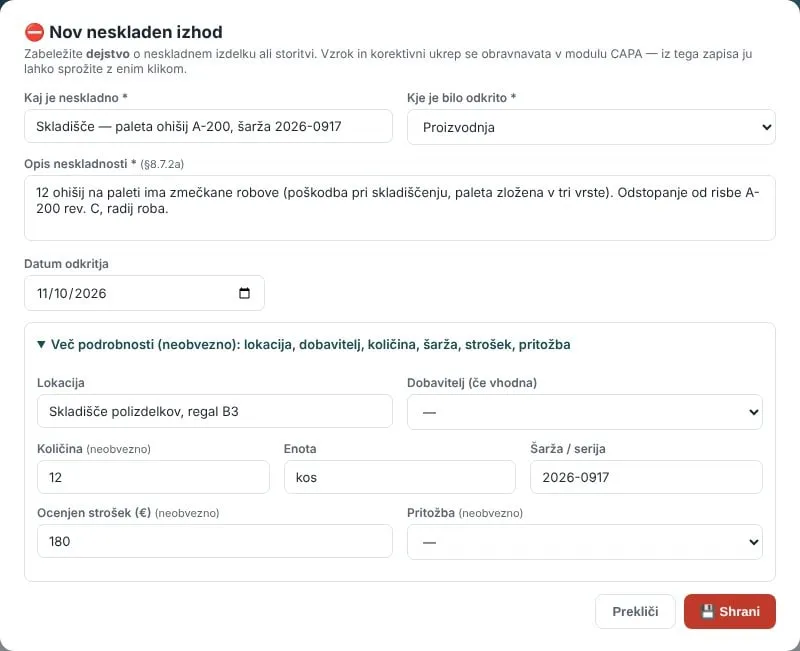 A new record: what is nonconforming, where it was found and a description of the deviation; quantity, batch and cost are optional.
At incoming inspection you select the supplier from the register, so a nonconforming delivery shows in their rating. If the nonconformity was found by the customer, you link the record to a complaint, and the link works both ways. A worker on the shop floor can report a nonconformity too: with the Report button they enter a short description, location, quantity and a photo, the record gets a number and the reporter, and the quality manager gets a notification. If the company has AI switched on, a button next to the description turns the draft into a clear description of the nonconformity, which you review before accepting it.
2. Disposition: what happens to the output and who decided
The disposition is the decision on what happens to the nonconforming output: repair, rework, scrap, concession, return to supplier or regrading. When you select it and save, the Approved by field fills in automatically with your name, date and time. This is the requirement of clause 8.7.2 d, and the one paper forms lose most often: there is a signature but no date, or someone signed who was not authorised to decide.
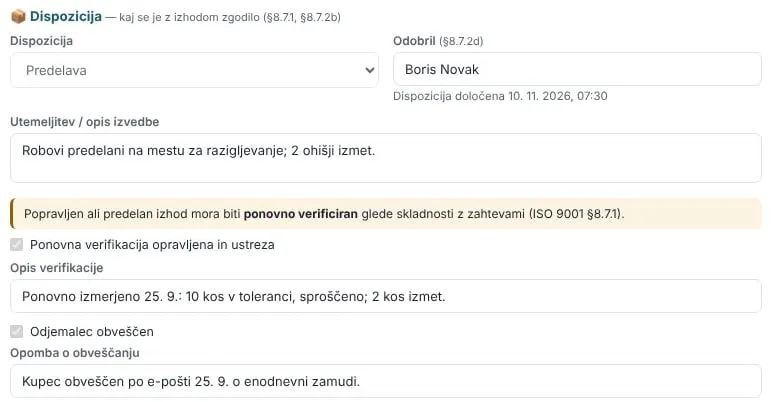 A disposition with an approver, justification of execution, re-verification and a note on informing the customer.
For repair and rework the module shows a re-verification warning (clause 8.7.1): you tick that it was carried out and conforms, and write down when and what you measured. For a concession or a delay you mark that the customer was informed and add how. With a disposition the record moves from Open to In progress.
3. Need for corrective action: one click to the Actions module
On every record you explicitly evaluate whether a corrective action is needed: YES, because the defect is recurring or expensive, or NO, because it was a one-off event. The justification is part of the record. This shows the auditor a documented evaluation under clause 10.2.1 even when you did not open an action.
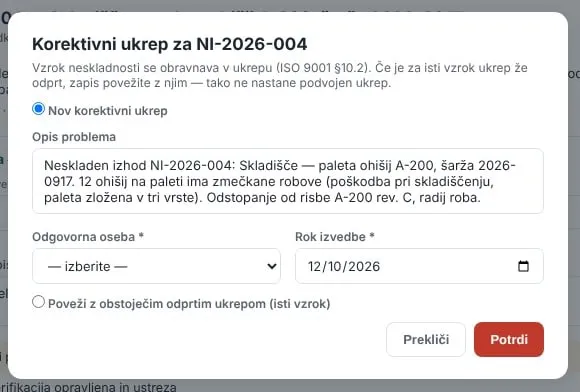 An action from the record in one click: a new corrective action or a link to an existing one that deals with the same cause.
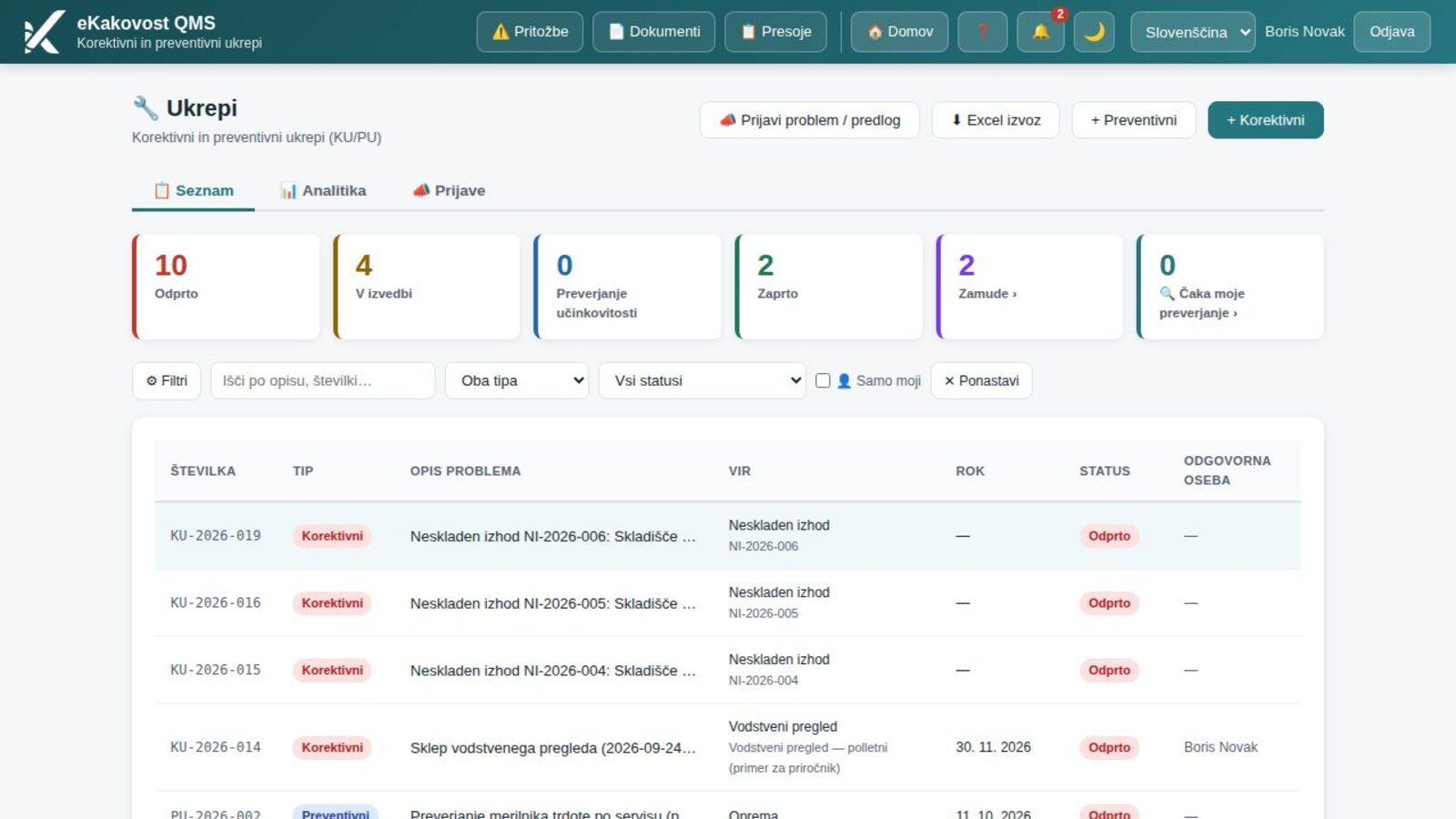
If an action is needed, you open it with one click: the problem description is carried over from the record, you choose the responsible person and the deadline, and the action is created in the Actions module with this record as its source. If an action for the same cause is already running, you link the record to it, so no duplicate action is created. The record keeps the link with the action’s number and status, while the root cause analysis and the effectiveness check run where they belong.
4. Closure only when everything is in place
A record cannot be closed until it has a disposition, an evaluation of the need for action and, for repair or rework, a completed re-verification. When you click Close record, the module checks all the conditions at once, lists in red what is missing and outlines the missing fields. The confirmation dialog only opens once everything is in place.
A closed record is evidence of control of the nonconforming output, so it can no longer be edited. The register and the printout show who closed it and when; that person may be different from the approver of the disposition. If something turns out to be wrong, you reopen the record, which is logged. Records cannot be deleted: a wrong entry is closed with a justification that explains the error.
5. Decision trail: who decided what and when
Below the record is the decision trail: a vertical timeline of all decisions, newest at the top. Who added the record, who set or changed the disposition (previous and new value with the justification), who evaluated the need for action, carried out the verification, sent a notification, created an action, and who closed or reopened the record. Every event has a name, date and time.
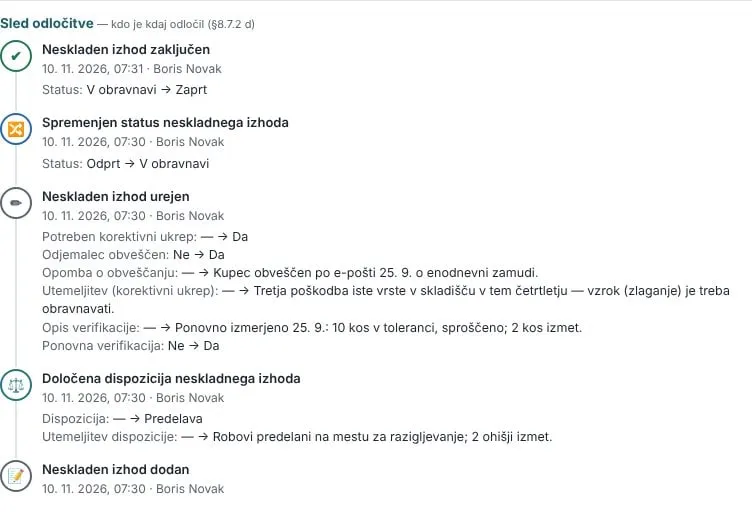 The decision trail: from recording the fact, through the disposition, to closure, with the person, date and time at every step.
This is the answer to the question from the introduction. The auditor does not get a verbal explanation but a record: the disposition was set by Boris Novak on 10 November at 07:30, he recorded the verification the same day and closed the record at 07:31. The same events are also in the audit trail, where the administrator filters and exports them.
6. Register, indicators and an input to management review
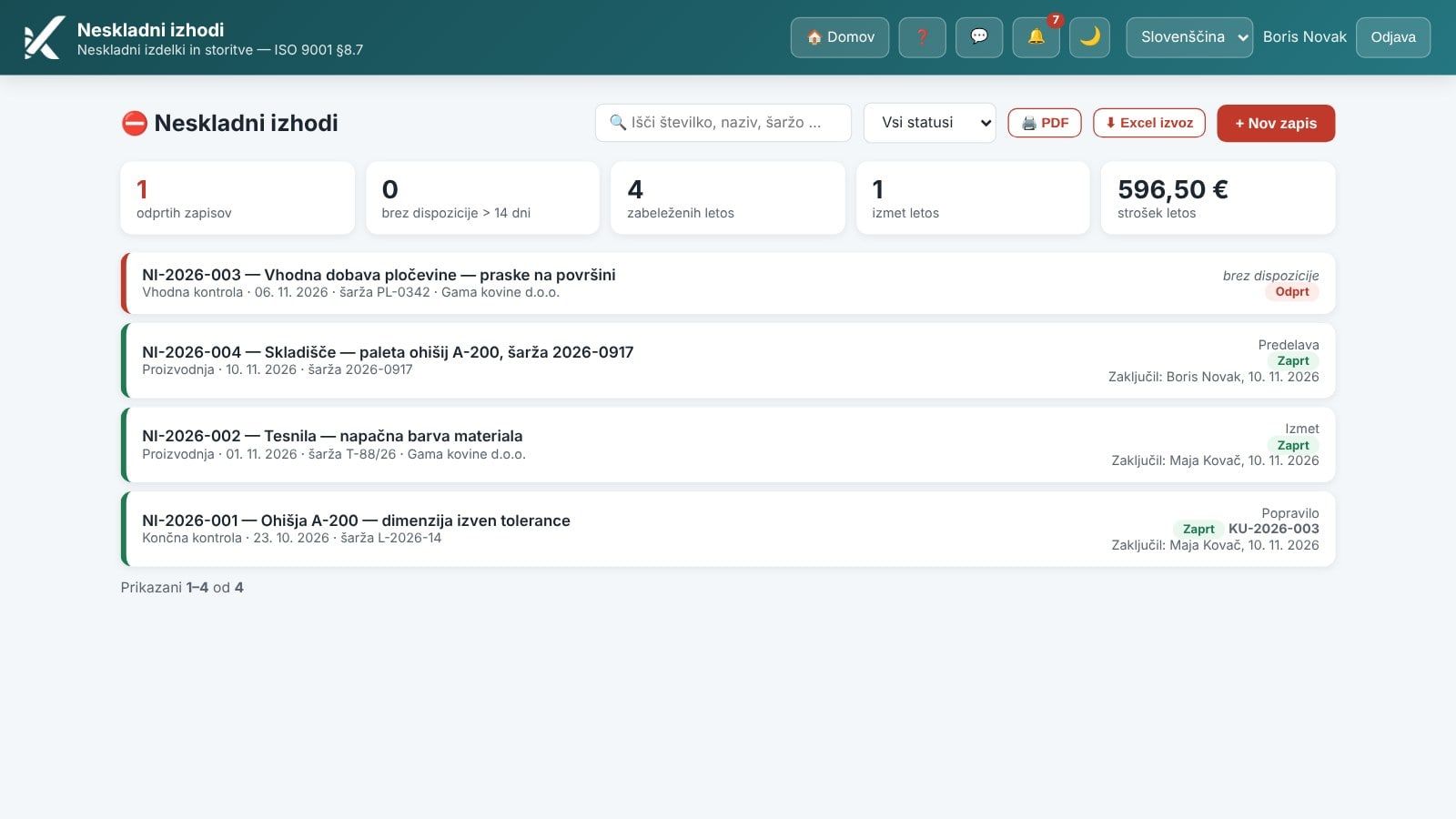
Above the list, the register shows indicators: open records, records without a disposition for more than 14 days, records this year, scrap this year and the cost of poor quality this year. A product in quarantine without a verdict is a typical audit finding, so after 14 days without a disposition the platform reminds the administrators itself. The list can be searched by number, name or batch and filtered by status.
The PDF button produces a register of nonconforming outputs in landscape format with a summary by disposition and the total cost, and the Excel export transfers the data to a spreadsheet. The number of records in the period, open records, scrap, concessions and cost are also an input to management review (clause 9.3.2), and the link from the review opens the register narrowed to exactly the records the review counts. For a return to supplier or a concession you send a notification to the supplier or a colleague by e-mail from the record; every send is logged with the recipients and the text as evidence of communication.
What the quality manager gains
| Without a system | Nonconforming Outputs module | |
|---|---|---|
| Record | A report in a folder, often incomplete | A record with a number, discovery source, quantity, batch and cost |
| Decision | Verbal, a signature without a date | A disposition with approver, date and time, automatically |
| Re-verification | Depends on the inspector’s memory | Mandatory for repair and rework, no closure without it |
| Corrective action | A separate form, data copied by hand | An evaluation on every record, an action in one click, linked |
| Who decided what | Not visible | A decision trail with person, date and time |
| Product without a verdict | Noticed at the audit | An indicator and a reminder after 14 days |
| Preparing for the audit and management review | Collecting by hand from folders | A PDF register, indicators, an input to management review |
Who uses the module
- The inspector and the warehouse worker, who record a nonconforming product when they find it, with location, quantity and batch.
- The worker on the shop floor, who reports a nonconformity with a short description and a photo, without edit rights.
- The quality manager or production manager, who sets the disposition, evaluates the need for action and closes the record; the platform records them as the approver.
- Purchasing, who notify the supplier from the record for an incoming nonconformity and see how the delivery affects the supplier’s rating.
- Management, who see in management review the number of nonconforming outputs, scrap and the cost of poor quality in the period.
- The auditor, who sees for every nonconforming output the fact, the disposition with its approver, the verification and the evaluation of the cause in one record.
Book a free demo. In 30 minutes we show you how your nonconforming outputs would live in the Nonconforming Outputs module: from the record to the disposition and corrective action, on an example from your industry. Choose a time →
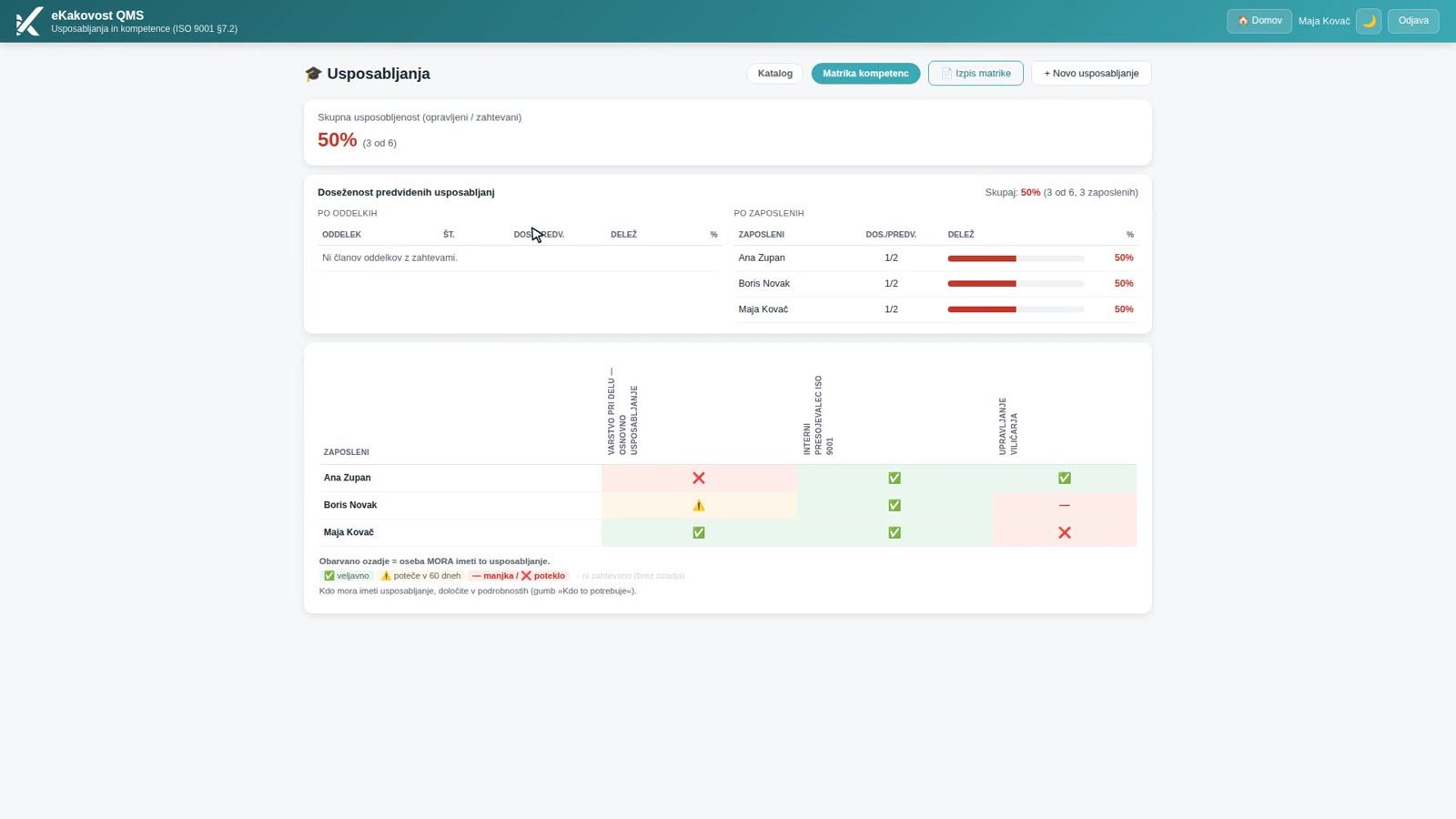
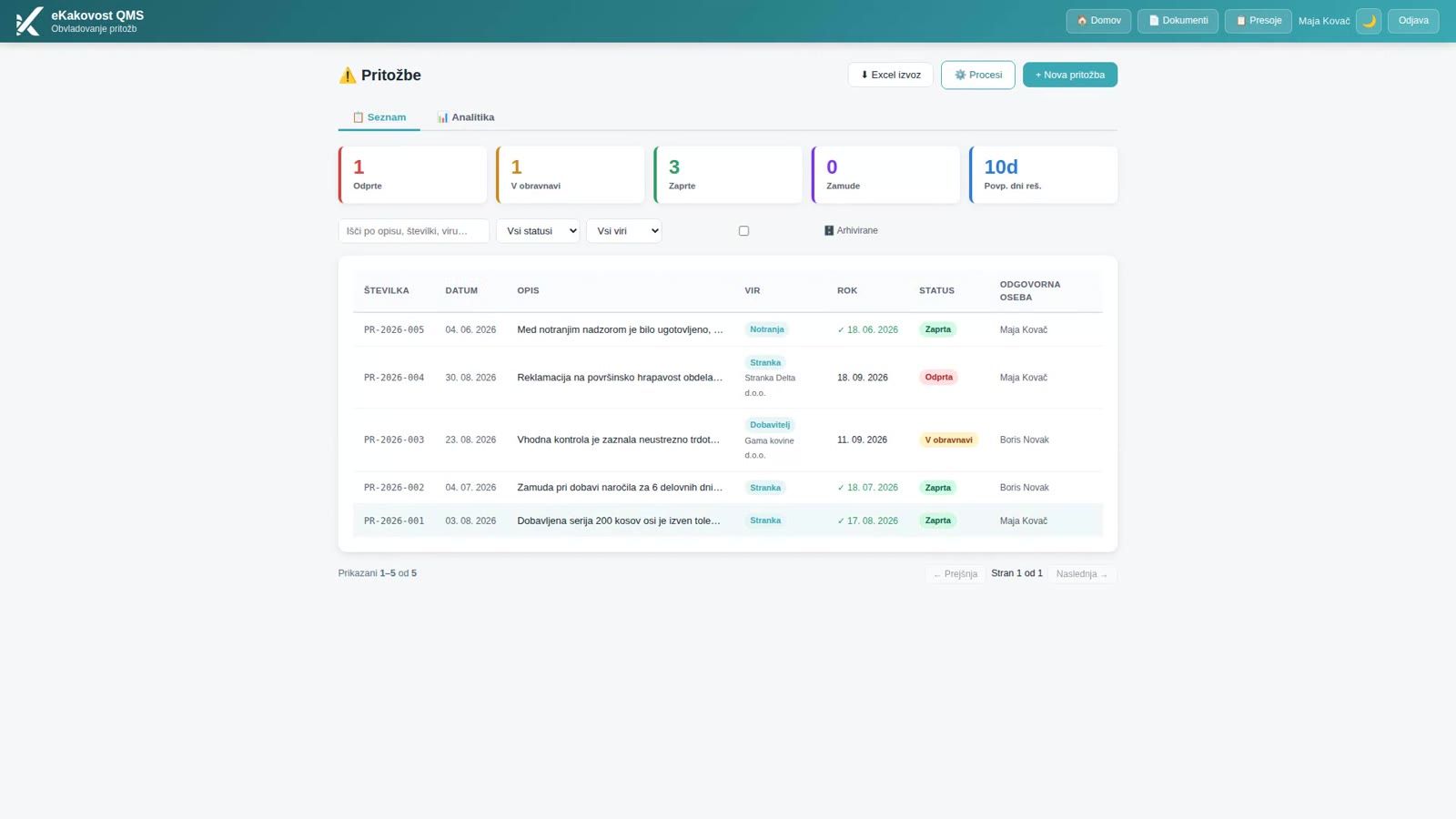
In our previous post we showed how the Training module manages employee competence with a competence matrix. A nonconforming output is the most common source of a corrective action, so it is worth knowing how the Actions module gets from the defect to the cause, and how the Complaints module handles a nonconformity found by the customer. If you are only introducing ISO 9001, a register of nonconforming outputs with a disposition and a decision trail is one of the most tangible pieces of proof that your quality management system really works.
Frequently asked questions
What does ISO 9001 require for nonconforming outputs?
Clause 8.7 requires you to identify and segregate a product or service that does not meet requirements, to decide what happens to it (repair, rework, scrap, concession, return to supplier or regrading), to re-verify a repaired product and to retain a record of it: what was nonconforming, what you did, which concessions were obtained and who decided. The module covers all four requirements in one record.
What is the difference between a nonconforming output and a corrective action?
A nonconforming output is a fact about the product: what is wrong, how many pieces, where it was found and what you did with it (clause 8.7). A corrective action deals with the cause and prevents recurrence (clause 10.2). The standard does not require an action for every nonconformity, but it does require a documented evaluation of whether one is needed. In the module you record that evaluation on every record, and you open the action with one click, so it stays linked.
Who is recorded as the approver of the disposition?
The person who set or last changed the disposition when saving. The Approved by field fills in automatically, with the date and time, which is the requirement of clause 8.7.2 d. Any later change of the disposition records a new person, and the earlier decisions remain in the decision trail, so it is always clear who decided what and when.
Why can I not close the record?
A record can only be closed once it has a disposition, an evaluation of the need for corrective action and, for repair or rework, a completed re-verification. When you click Close, the module checks all the conditions at once, lists in red what is missing and outlines the missing fields. A closed record is evidence of control and can no longer be edited; if needed you reopen it, which is logged.
Can a worker on the shop floor report a nonconformity too?
Yes. Anyone who can see the module, even with read-only access, can use the Report button to enter a short description, location, quantity, date and a photo. The record gets a number, the discovery source Production and the reporter as the person who found it; the quality manager and the administrator are notified. The disposition, cost, notifications and closure are then entered by whoever edits nonconforming outputs.
Read next
Transparency: artificial-intelligence tools were used in preparing this article. The content was reviewed and approved by the author.