
The auditor asks: “When did you last review the risk register, and what has changed since?” If the answer is “before the audit”, the register is a document, not a tool. Risks change: a new supplier arrives, a key colleague leaves, a law changes. A risk register that is opened once a year is not risk management. It is audit preparation.
In this post we show how the Risks module of the E-kakovost QMS platform manages the risk register: from a 5×5 matrix that shows where it is hottest, to an owner with reminders, a rating history and an action that is raised straight from the risk.
What the standard asks of your risks
ISO 9001 clause 4.1 requires the company to understand its context, and clause 4.2 its interested parties and their expectations. Clause 6.1 then requires you to determine the risks and opportunities that follow from them and to plan actions to address them. Those actions should be proportionate to the potential impact on the conformity of products and services.
The standard does not prescribe a register or a form. It prescribes that you can show the chain: context, risk, action. That is exactly the chain the auditor looks at. In practice risks often live in a spreadsheet nobody opens, and actions in e-mail. The Risks module ties the chain together in one place.
How a risk lives in the Risks module
1. A 5×5 matrix that shows where it is hottest
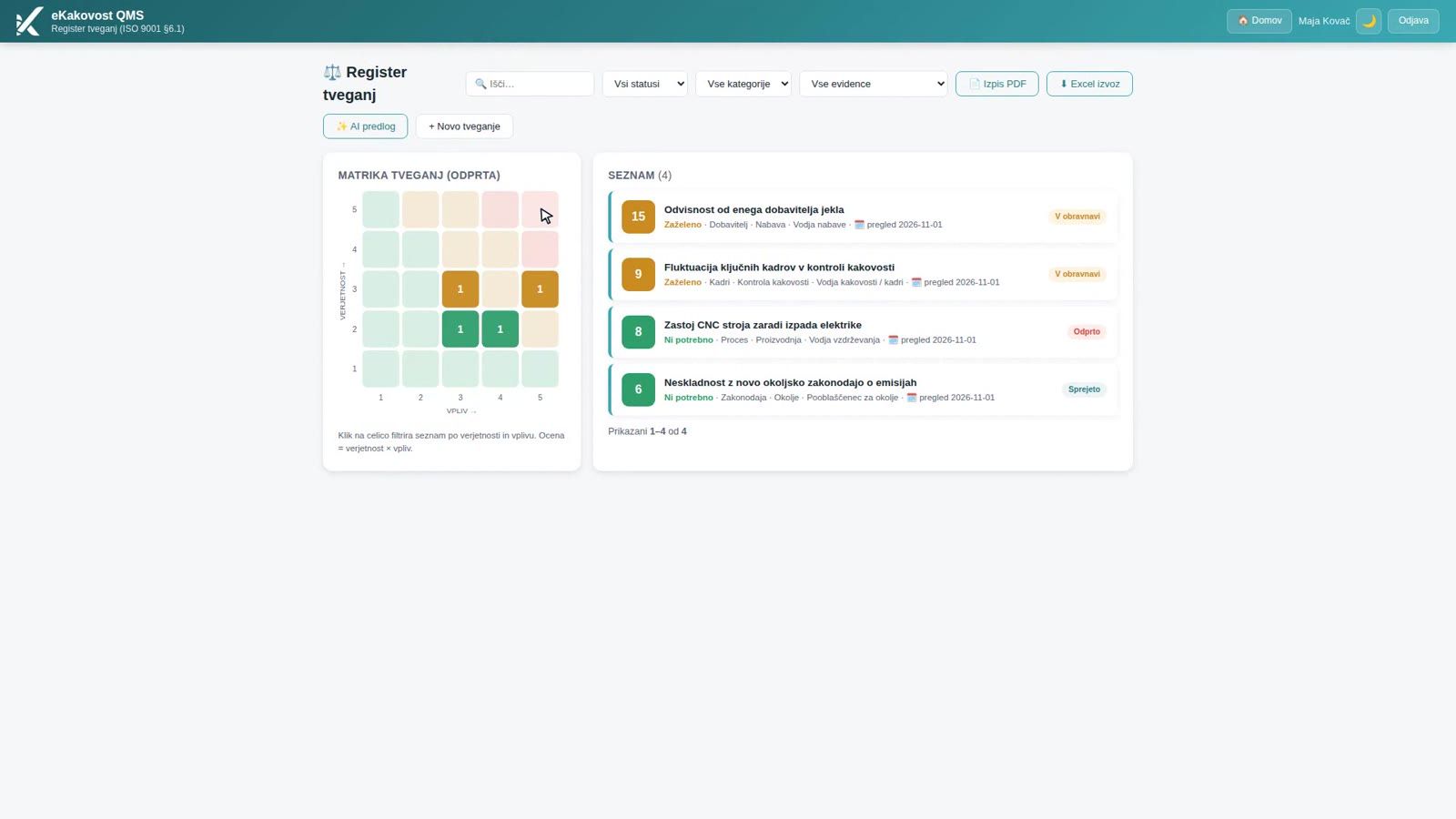
Risks sit in a likelihood × consequence matrix: likelihood vertically, consequence horizontally. The number in a cell says how many open risks have exactly that combination of ratings, and the colour shows the action class: green, orange or red. Red is therefore straight at the top, in the right-hand corner. A click on a cell shows which risks are in it, and a second click removes the filter.
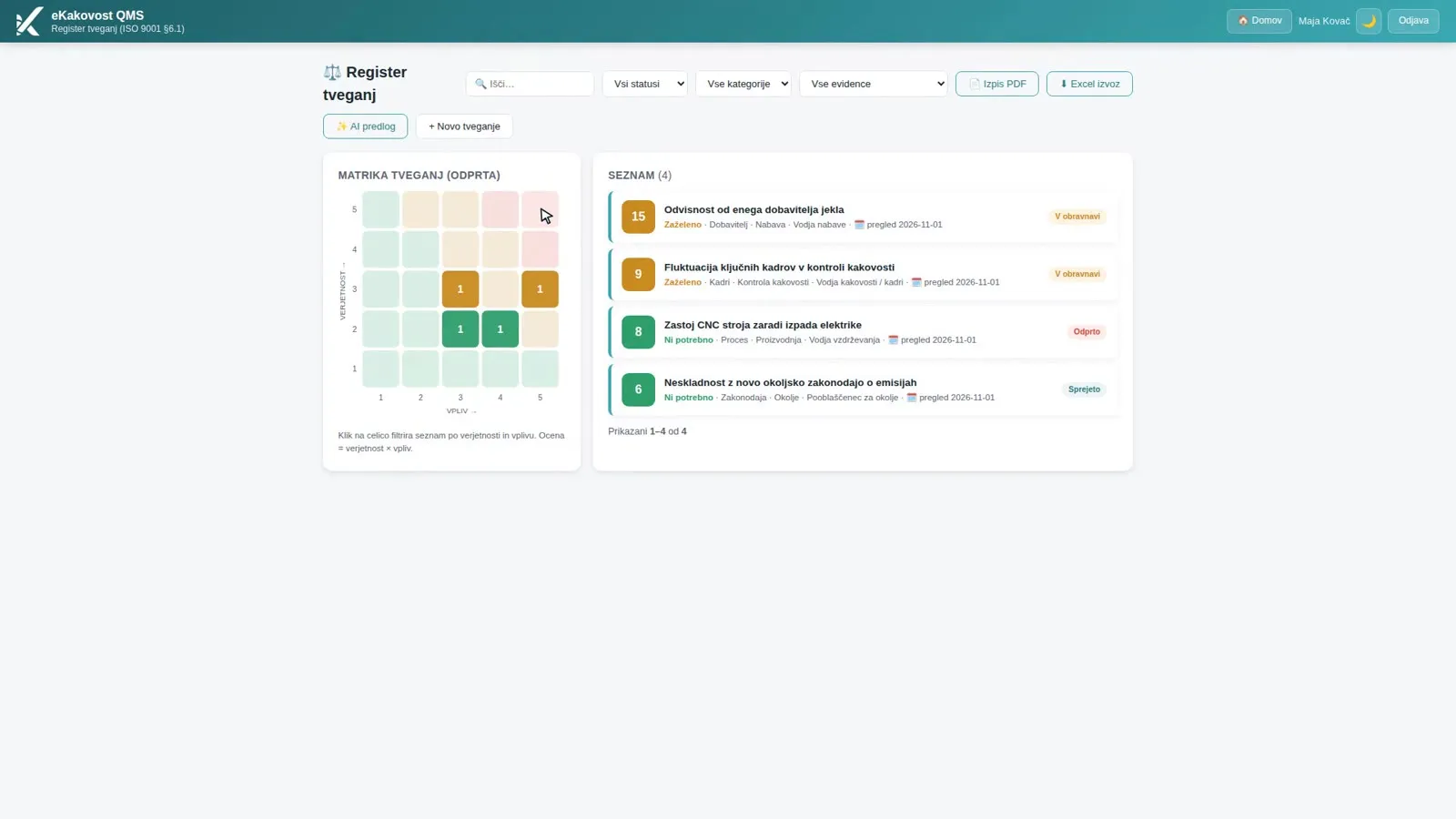 The risk register: matrix on the left, list on the right. The number in a cell is the count of open risks with that score.
The matrix and the list count the same risks, so the number in a cell always equals the number of rows after you click it. Each row of the list shows the score, category, responsible function, review date and status (Open, In progress, Accepted, Closed). The list is sorted from the highest score down, so the quality manager sees what matters most first.
2. A score that is repeatable
You rate likelihood and consequence on a scale from 1 to 5. Every level is described in words, so two people rating the same risk pick the same level and the score is not a matter of gut feeling. For a new risk no rating is pre-selected: a person has to choose it, which makes it a conscious decision rather than a default.
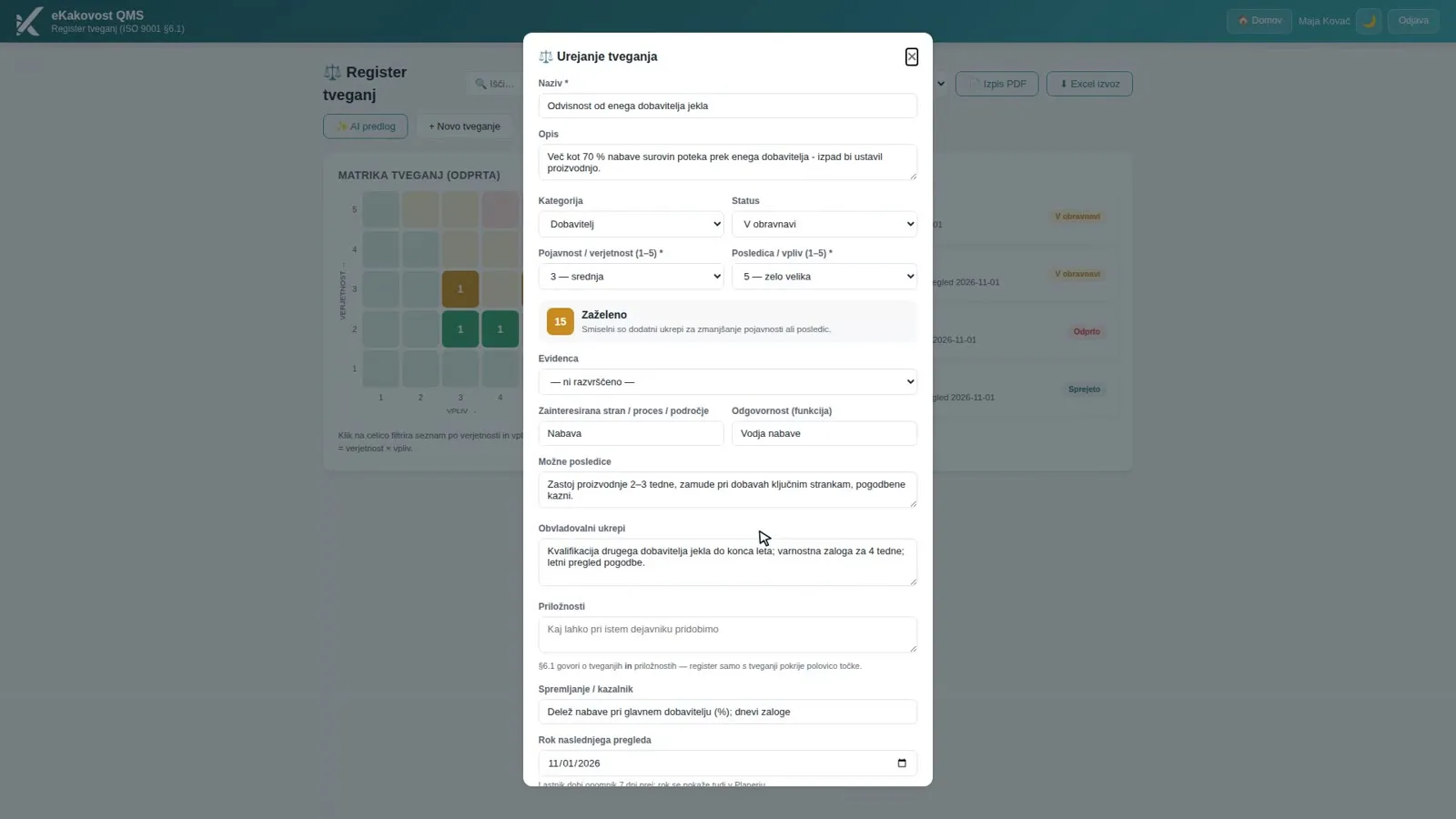 The overall score (likelihood × consequence) is calculated and coloured on the spot, before you save the risk.
From the overall score (1 to 25) the module itself works out the action class. By default: up to 8 no action is needed, from 9 to 16 action is desirable and from 17 up it is required as a priority. The limits are your company’s methodology, since ISO 9001 requires the organisation to define how it rates risks. An administrator changes them in the settings, and the change is written to the audit trail.
3. Owner, actions and review date
Every risk has an owner (a person), a responsible function (e.g. “Head of Purchasing”), control measures and a next review date. The difference matters: a person receives the reminders, while a function survives staff changes. The owner gets a reminder 7 days before the deadline and on the day itself, and the date also shows in the Planner alongside the company’s other deadlines. The register stays alive without the quality manager having to chase it.
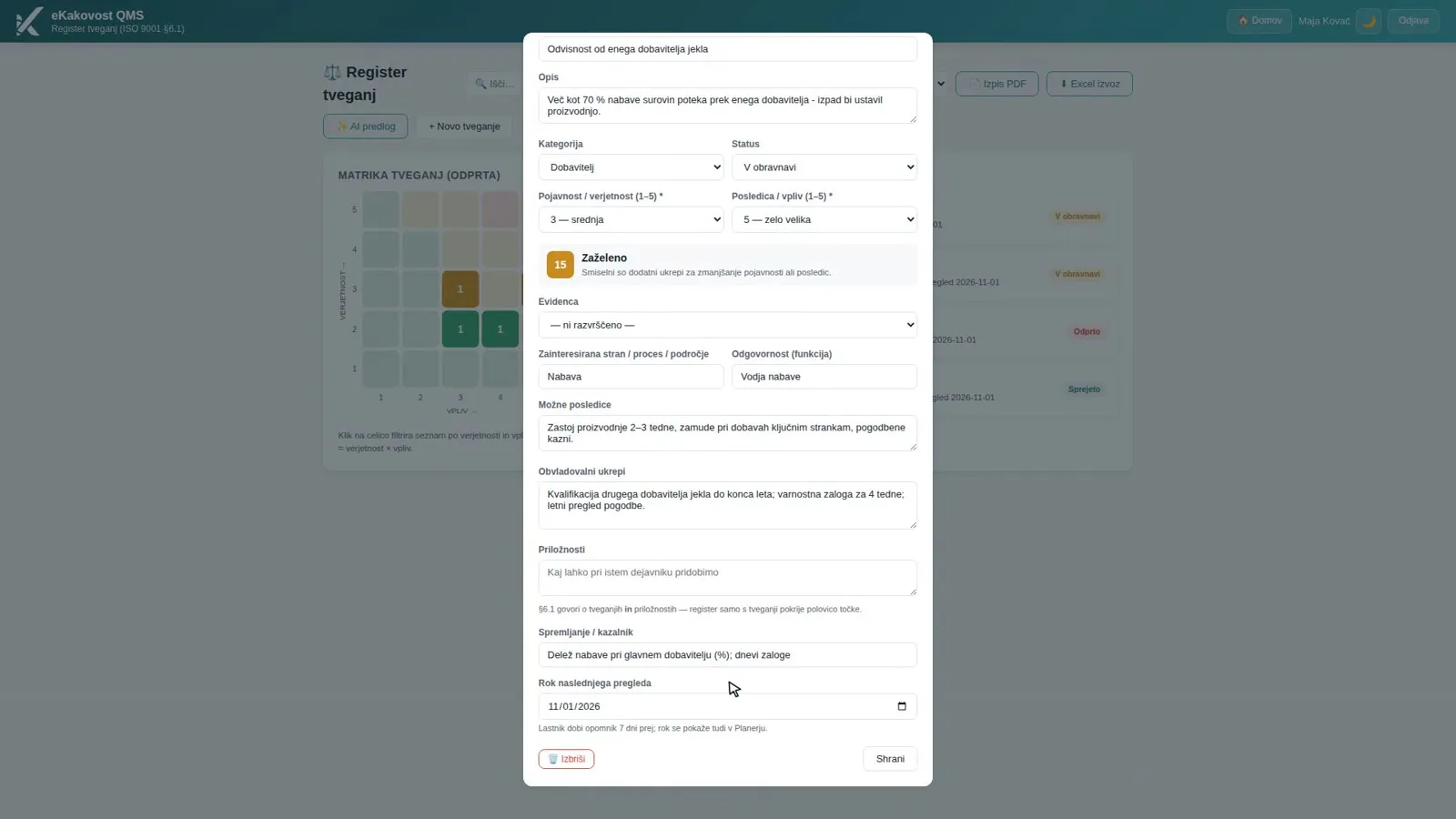 Control measures, indicator and next review date: below the date it says the owner gets a reminder 7 days earlier.
The module does not reject an incomplete record. It flags it with a ⚠️ warning instead: a priority risk without actions, without a review date, without a description of consequences or without a responsible person. That way the auditor does not find the gap before you do.
4. Re-rating and rating history
A risk is not a one-off entry. At a review you click Re-rate, change the score and write down the reason (e.g. “after a second supplier was introduced”). Every change of score is one line of history: date, score, reason, who made it and a trend arrow. For a risk, a green arrow down is an improvement and a red arrow up is a deterioration.
For an auditor this is the strongest proof that the register is alive: they see not only today’s score but the story of what you did and how the score changed as a result. The details of a risk have a row of sections at the top (Rating, Actions, Rating history, Links) that jumps you where you want in one click. Risks are never deleted, only closed, so the history stays.
5. From risk to action, process and context
When a risk needs an action with a responsible person, a deadline and an effectiveness check, you create it on the risk’s card with + New action. The problem description and the proposed action are pre-filled from the risk, and the action stays permanently linked to it. The rest of the work (cause analysis, implementation, verification) takes place in the Actions module.
A risk is also linked to where it comes from. You can link a step of a process to a risk, so it is visible where in the process the risk arises. An environmental aspect is linked to a risk in the ISO 14001 view, and workplace risks are kept with an ISO 45001 assessment (hazard, people exposed, hierarchy of controls). On the Context page you keep context issues (clause 4.1) and interested parties (clause 4.2): an important issue with no linked risk, action or objective is flagged with a warning. Besides risks you also record opportunities, either against a risk or on their own (for example a new customer).
6. Suggested risks and a printout for the audit
An empty register is hard to start. If the company has the AI module switched on, AI suggestion proposes 5–8 risks that are not yet in the register, based on your line of business and past actions. Nothing is saved automatically: you take over only the ones that apply and complete them, because a suggestion is a starting point, not the truth.
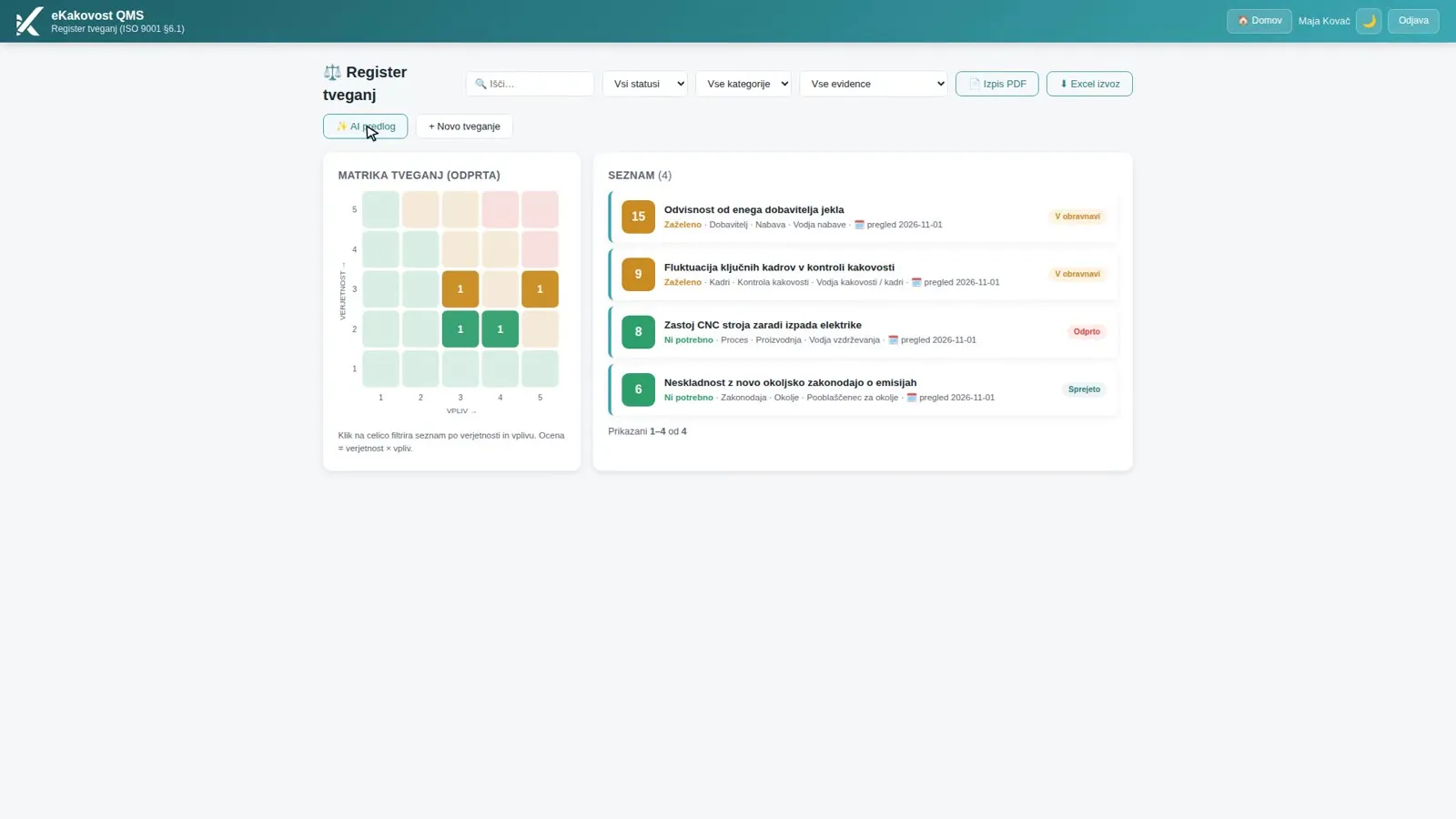 The “AI suggestion” button above the matrix: you take over suggested risks by hand, and nothing is saved automatically.
For the audit, one click prepares a register printout as a PDF: the 5×5 matrix, a table of risks with score, actions, owner and review date, a separate table of opportunities and a signature block. You can also export the register to Excel.
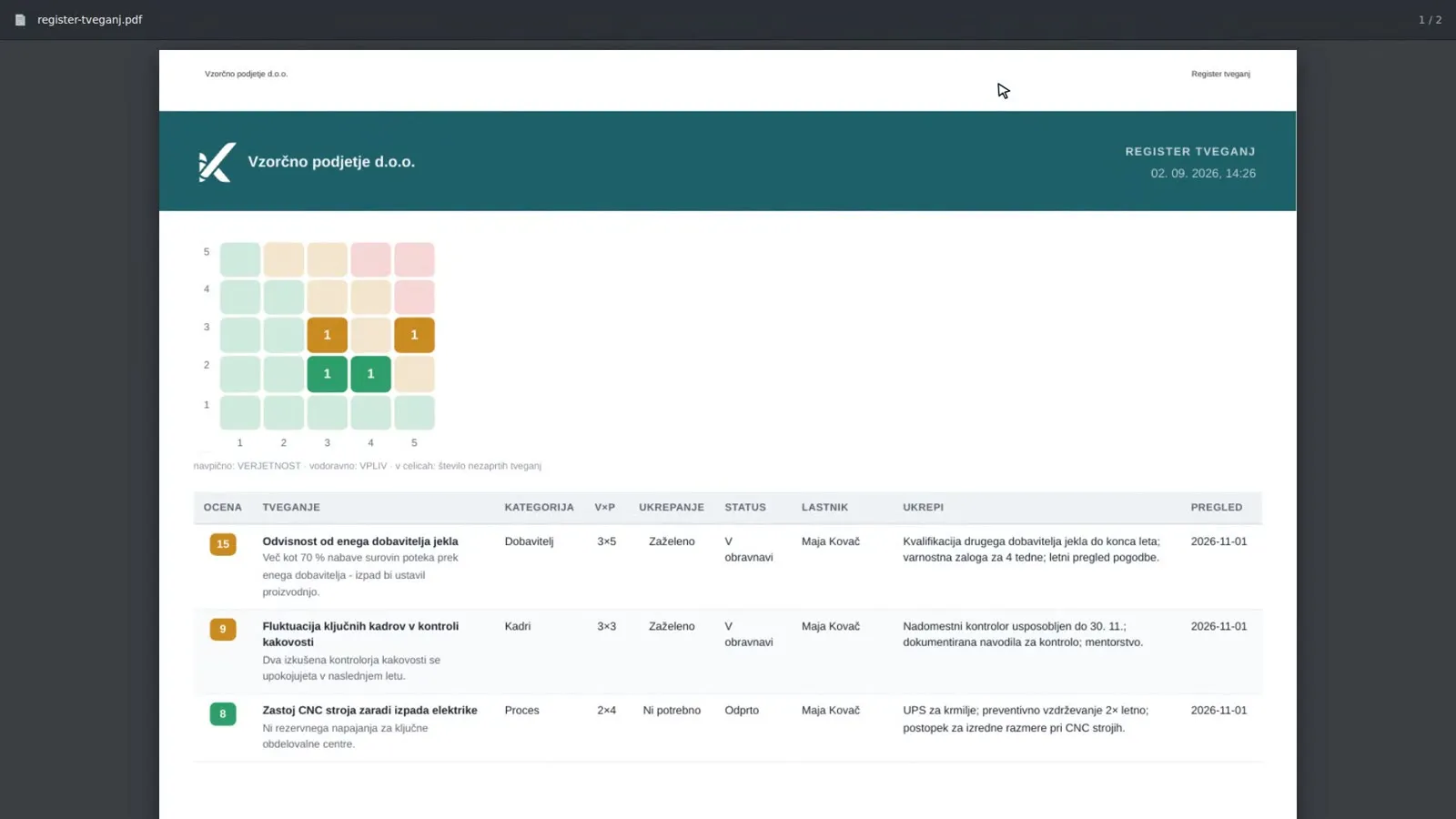 The register printout for the audit: matrix and table of risks, prepared in one click.
What the quality manager gains
| Without a system | Risks module | |
|---|---|---|
| Register | A spreadsheet opened once a year | A live 5×5 matrix, a click on a cell shows the risks |
| Rating | By gut feeling | A 1–5 scale with described levels, class calculated automatically |
| Owner | A name in a column | An owner with a reminder 7 days before the deadline and on the day |
| Change of score | An overwritten number | Rating history with reason, author and trend |
| Actions | In e-mail or a separate document | An action raised from the risk, permanently linked |
| Context | A separate document | An important issue with no linked risk is flagged |
| Audit preparation | Assembling the printout by hand | A PDF printout of the register in one click |
Who uses the module
- The quality manager, who has an overview of the matrix and the review dates and shows management the state of risks, which is an input to management review.
- Risk owners, who get a clear review date and a reminder instead of a question at the audit.
- People responsible for processes, environment and safety, who link risks to a process, an environmental aspect or a workplace.
- Management, who instead of a long spreadsheet sees which risks are in the red and what is being done about them.
- The auditor, who gets the chain from context through the rating to the action and the review history in one record.
Book a free demo. In 30 minutes we show you how your risks and opportunities would live in the Risks module: from the first rating to an action, on an example from your industry. Choose a time →
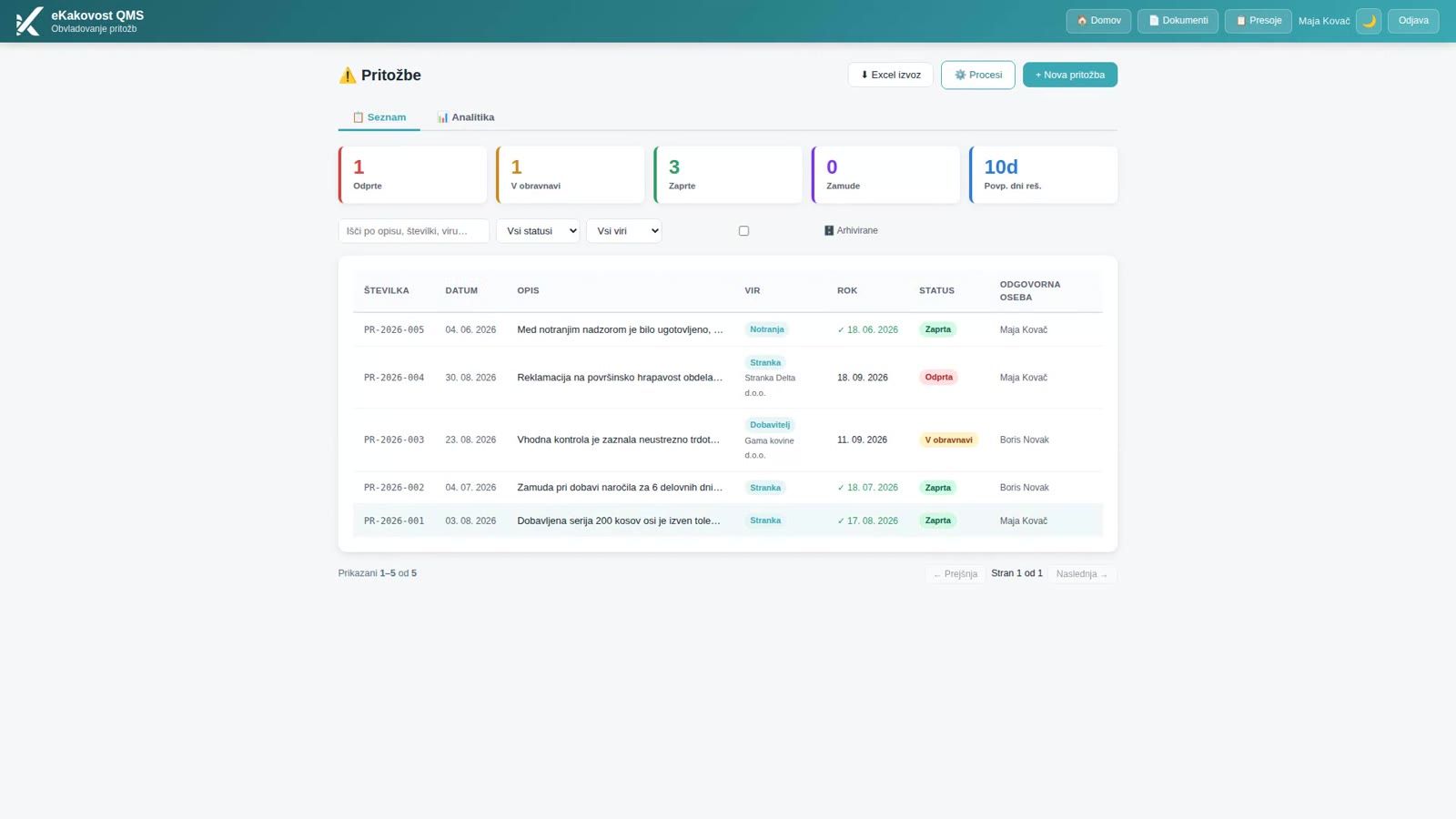
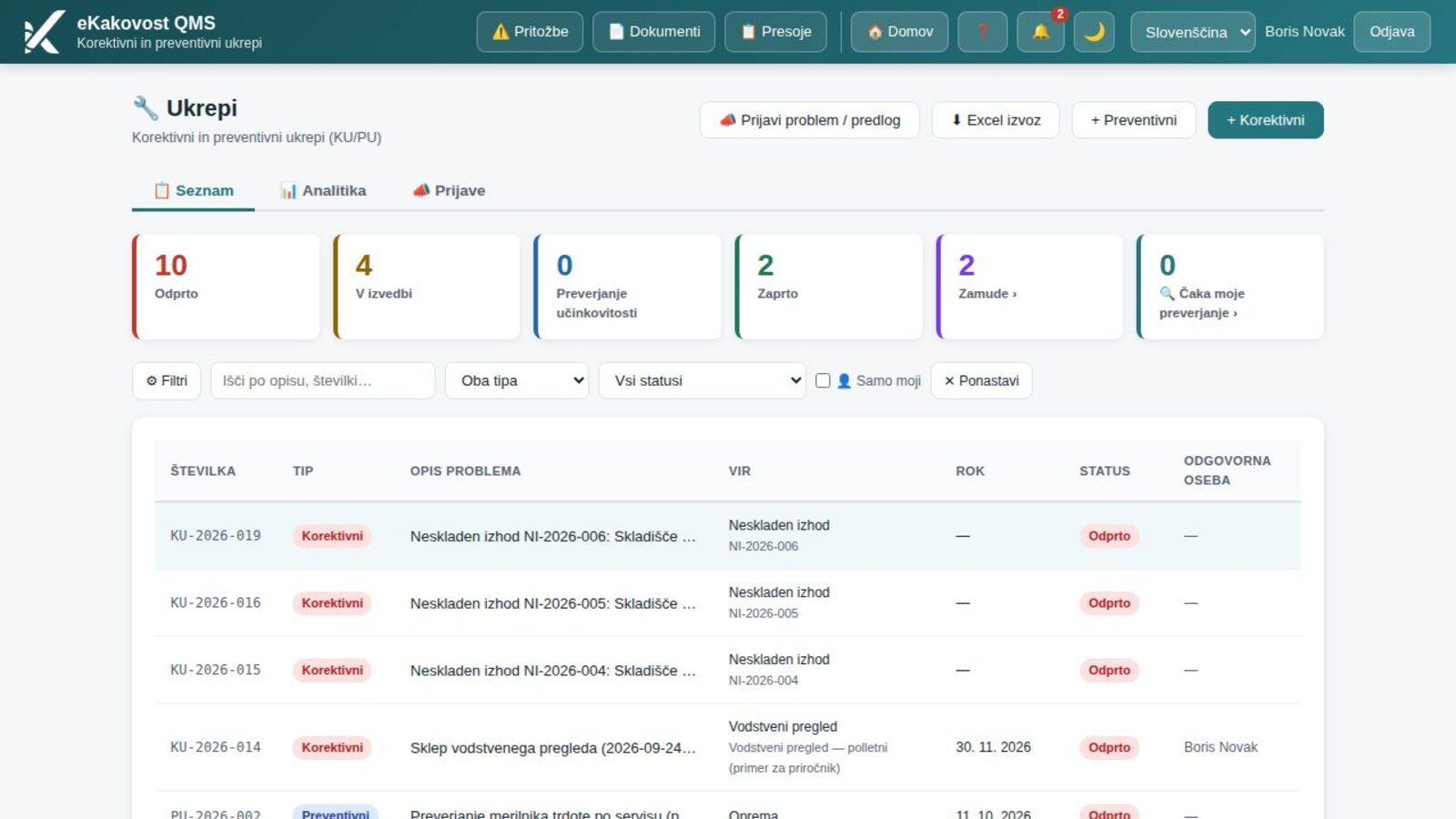
A risk only makes sense if there is an action behind it. In the previous post we showed how the Actions module manages corrective and preventive actions through to a verified effect. If you are only introducing ISO 9001, a risk register with clear owners and review dates is one of the first proofs that the management system really works.
Frequently asked questions
What does ISO 9001 require for risks and opportunities?
Clause 6.1 requires you to determine the risks and opportunities that arise from your context (clause 4.1) and from the expectations of interested parties (clause 4.2), and to plan actions to address them. The standard prescribes neither a form nor a single rating method, so the company defines its own. An auditor will still expect proof that you do this regularly: who rated the risk, what you did about it and when you last reviewed it.
How do I rate likelihood and consequence so that the score is repeatable?
You rate each on a scale from 1 to 5 and the overall score is the product of the two (1 to 25). In the module every level is described in words, so two people rating the same risk choose the same level. The limits of the action classes (by default 1–8, 9–16 and 17–25) are your company’s methodology and an administrator can change them.
How often must I review the risk register?
The standard sets no interval, so you set your own and record it against each risk. The module’s manual gives a review every 6 or 12 months as an example. The risk owner gets a reminder 7 days before the deadline and on the day itself, and the date also shows in the Planner.
What should I do when a risk is high?
Record control measures and a review date; for a priority risk the module shows a warning if either is missing. If the action needs a responsible person, a deadline and an effectiveness check, you create it from the risk with one click as an action in the Actions module. It stays permanently linked to the risk, so the chain from risk to action is visible both ways.
Does the module also cover opportunities and the organisation’s context?
Yes. You can record an opportunity against a risk or on its own (for example a new customer), and a separate page holds context issues, interested parties and communication. If a context issue is important to the company, the module warns you until you link it to a risk, an action or an objective.
Read next
Transparency: artificial-intelligence tools were used in preparing this article. The content was reviewed and approved by the author.